I have been getting a lot of emails asking about what happened to the #TESDArmy Player podcast app (or as it was previously known as PlayEmSteveDave). It was taken down at the request of SModCo. But, don’t fret, there are other ways to get the podcast on Android, aside from the (what I think is crummy) Stitcher app.
It looks like our friends that make the customer ROM Cyanogenmod have hit a major milestone overnight. They have had 1,000,000 UNIQUE active users. This meaning that they aren’t counting redownloads, or reinstalls. Congrats!
Source Twitter: CyanogenMod just passed 1 million active users. http://t.co/24UpkKx1 – koush (@koush)
An idea was thrown out the the world on Google+ (Koushik Dutta) for a root only android app store. A place for apps related to rooting your phone, or other mods, along with all the stuff that Google and Amazon have banned from their app stores.
I think it is a great idea. I would love to see this happen and would love to contribute however I can. Check out the post (at the below links) and give your own feedback.
There has been a great debate over the use of an Antivirus or scanner app of some type. It has it’s ups and downs, but with all the recent news coverage out there showing that the number of “Malware” apps is on the rise. Some sites have even reported that the number of apps has hit the 50 mark.
So what are the best ways to get your phone protected against these kinds of threats?
You can always install an Antivirus app, or (for example) a multipurpose app like Lookout. Lookout scans all installed apps against their database and will advise you if something has been reported as malicious. You may notice a slight decrease in performance as the application is running all the time, but may be well worth the loss, ch_client = “charliedelong”; ch_width = 430; ch_height = 90; ch_type = “mpu”; ch_sid = “Chitika Default”; ch_backfill = 1; ch_color_site_link = “#F48D1D”; ch_color_title = “#F48D1D”; ch_color_border = “#FFFFFF”; ch_color_text = “#000000”; ch_color_bg = “#FFFFFF”; Research the app before you download it. The comments are there for a reason. Read through those, along with the app permissions (See Screenshot). The app permissions will tell you what sort of access the app has to your data. If something seems fishy check the comments for an explanation to the reason for needing a certain permission. Do keep in mind that certain things may seem funny, like an app having the ability to locate you, but if there is a feature in the app that uses the GPS it will need that permission. A similar complete is when an app needs to see what state the phone is in. A lot of times that is so the app can save data before the phone call comes in.
Also keep an eye on the source of the file. Be extra cautious when loading an app from a 3rd party, or a file sharing site. A lot of developers are using places like Mediafire.com or 4Shared.com to distribute apps that aren’t in the market because it is a free way to distribute their app, but it is best to download from one of the major App stores. (Android Market, Amazon Appstore, SlideME) because the apps are typically checked before they are distributed. (More so with Amazon and SlideME where a person actually hand tests all the apps.)
So be cautious out there, and always remember to backup your data. The good news with this situation is that Android Market is removing apps as they are reported bad and revoking the license of the app creators.
I have been asked a lot about how to root specific phones. I am going to create a static page with a list of some great resources on how to root thT specific device.
Remember that you should backup as much as you can before following through these guides. Also do your researchy. Familiarize yourself with the tools to avoid messing up your phone.
Also keep in mind that OldAndroid is not responsible for damaged phones or lost data of any kind. You are on your own if something bad happens. By all means post your questions or issues, though, and I will try to help you if something does go wrong.
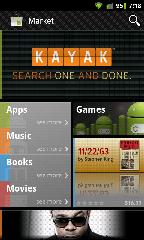
An overnight update has added the Music category to Android market for some users. The version number still remains the same at 3.3.11, though the new option is there.
To use the music feature you also have to download the new Google Music app from Android Market. This should give Android devices a little bit of an edge over the iPhone with all it’s new features that iTunes lack.
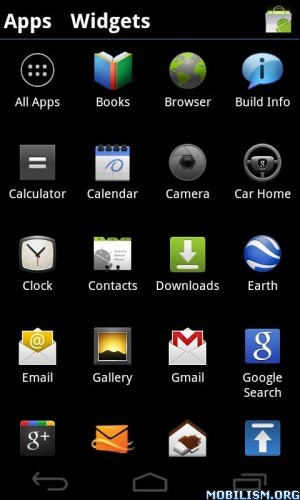
Excited about Ice Cream Sandwich but can’t wait for launch? Well try out this. A bunch of amazing developers over at XDA have ported the Launcher from Android 4 (Ice Cream Sandwich) into an APK file that can be installed on most phones.
Simply download the APK file and install it on your phone. Once installed click the icon and it will install it as a launcher. Works fast and looks great, with a ton of new cool features.
Love the ability to change up the look of your phone? Have a friend with an Apple iPhone or Microsoft Windows Phone 7 device that likes to brag about how incredible the interface is? Well that’s one of the great things about Android. You have the ability to change up your home menu to make it look like another type of phones.
Today I am going to show you a couple of great home replacement apps that will make your phone look like an iPhone or a Windows Phone 7 phone.
Starting off with the iPhone we have an app called EspierLauncher. It provides a nearly identical home screen to the iPhone. If you are familiar with the MUIU custom rom, it gives you the same sort of interface without having to reflash your whole phone. It gives you a bunch of iPhone features:
1. The ability to have the universal search as a screen to the left of the home screen.
2. Pressing and holding an app allows you to either put it into a folder, move them around, or uninstall them.
3. No app tray.
4. It auto loads all of your icons into the home screen pages.
5. Plus a bunch more iPhone looking coolness.
Next up is the Windows Phone 7 interface, which I will affectionately refer to as WP7. For that we will turn our attention over to an app appropriately called Launcher7. Launcher7 gives you the start screen look of WP7 along with the ability to customize your tiles, and pin an app to the start screen. it also allows you to swipe to the right screen and get a full list of all your apps. The colors are customizable and you can even create custom tiles using your own images.
So that is a couple of examples of ways you can change up your Android phone to make it look more like and iPhone or a Windows Phone 7 phone.